MP3 File Size Per Hour: How Much Space Does Audio Really Take?
A one-hour MP3 file usually takes between 28 MB and 144 MB, depending on the bitrate you choose. The exact number comes from a simple formula, not guesswork. This guide breaks down that formula, shows real numbers for common bitrates, and explains why your downloaded file might be bigger than the calculator says.
The Formula Behind MP3 File Size
MP3 file size depends on bitrate, not on sample rate or bit depth the way uncompressed formats do. The calculation is:
File size (MB) = Bitrate (kbps) × Duration (seconds) ÷ 8 ÷ 1024
For a one-hour file at 128 kbps, that works out to 128 × 3,600 ÷ 8 ÷ 1024, or about 56 MB. Apple’s own support documentation confirms the same relationship in simpler terms: MP3 files use roughly 1 MB per minute of audio (Apple Support), which lines up closely with the 128 kbps figure most converters use by default.
This formula holds for constant bitrate (CBR) files. Variable bitrate (VBR) files shift data toward louder or more complex passages and use less on silence or simple speech, so the final size can land 10-20% below the CBR estimate for the same average bitrate.
Storage by Bitrate: A Quick Reference
| Bitrate | Best For | Approx. Size (1 Hour) |
|---|---|---|
| 64 kbps | Voice memos, low-priority speech | ~28 MB |
| 96 kbps | Podcasts, lectures | ~42 MB |
| 128 kbps | General music, standard downloads | ~56 MB |
| 192 kbps | Mixed music and speech | ~86 MB |
| 256 kbps | High-quality music | ~112 MB |
| 320 kbps | Maximum MP3 quality | ~144 MB |
These figures match independent calculations published by Calculate.co.nz, which documents its formulas against MPEG-1 and MPEG-2 audio standards rather than estimating from memory.
Why Your Downloaded File Is Sometimes Bigger
Most storage calculators only account for raw audio data. Real MP3 files carry extra weight that these formulas skip.
Cover art adds the most.
When a converter embeds a thumbnail or album image into the file, that image can add 1-5 MB on its own, separate from the audio stream. A 56 MB file at 128 kbps can easily become 58-61 MB once artwork is attached.
ID3 tags add a smaller amount.
Title, artist, album, and genre fields take up only a few kilobytes. Extended tags, like embedded lyrics or multiple artwork versions, add more, though rarely more than a megabyte combined.
Source quality sets a ceiling.
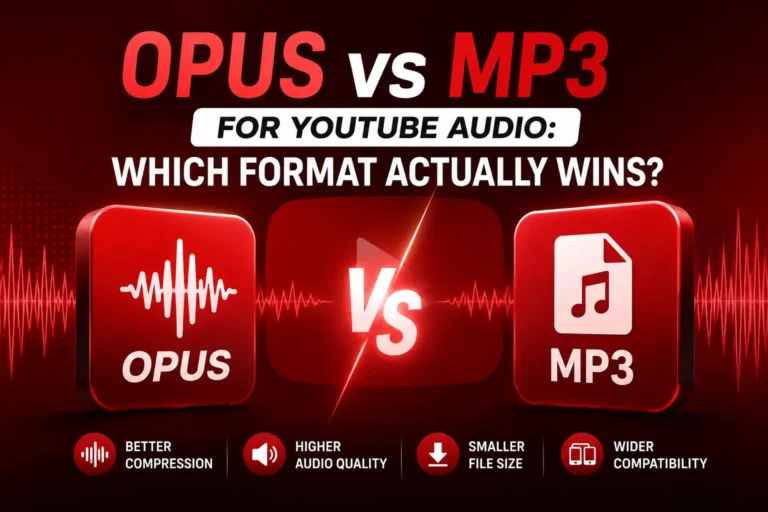
YouTube audio streams typically max out around 128 kbps for standard AAC audio, with some Opus streams reaching close to 160 kbps. Converting that source to a 320 kbps MP3 produces a larger file without recovering any detail the original stream never contained. The file grows in size, not in real quality.
Mono vs. Stereo for Speech Content
Music almost always needs stereo, but speech-only recordings do not. A one-hour lecture or interview encoded in mono at 96 kbps needs about half the space of the same recording in stereo, because stereo essentially doubles the channel data.
For spoken content specifically, mono at 96-128 kbps sounds identical to stereo on playback while cutting the file size significantly. This distinction matters most for people converting lectures, podcasts, or interviews rather than music.
How Many Hours Fit on Your Device
Once you know the per-hour size, storage planning becomes straightforward. A phone with 128 GB of storage can hold roughly 2,300 hours of 128 kbps MP3 audio, assuming no other files occupy that space. The same phone holds closer to 900 hours at 320 kbps.
These numbers assume audio only. Photos, apps, videos, and system files take up the majority of storage on most phones in practice, so treat this as a theoretical ceiling rather than a real-world estimate.
Sharing and Transfer Limits to Keep in Mind
File size also affects how you can share a converted MP3. Gmail caps attachments at 25 MB, which a 128 kbps file exceeds once it passes about 25 minutes of audio. WhatsApp allows files up to 100 MB, covering most single-episode podcasts even at higher bitrates. For anything longer or higher quality, cloud links work better than direct attachments.
What Actually Changes the Final Number
Three factors determine your real file size, and only one of them is the bitrate you select:
- Bitrate sets the baseline size through the formula above.
- CBR vs. VBR encoding shifts the final size up or down by roughly 10-20%.
- Embedded extras, mainly cover art, add a fixed amount independent of audio length.
Storage calculators account for the first factor reliably. The second and third factors explain most of the gap between a predicted size and the file you actually see in your downloads folder.
Frequently Asked Questions
Does a higher bitrate always mean better sound?
Only up to the quality of the source. Encoding a 320 kbps MP3 from a 128 kbps YouTube stream does not restore missing detail. The extra bitrate only makes the file larger.
Why do two 128 kbps files have different sizes for the same duration?
VBR encoding causes this. A file with long silent stretches or simple speech uses less data than a dense musical track, even at the same target bitrate.
Is 1000 or 1024 the correct divisor for megabytes?
Both appear in practice. Operating systems typically use 1024 (binary), while some manufacturers use 1000 (decimal) for storage specs. The difference explains small variations between calculators.
The Bottom Line
A one-hour MP3 lands between 28 MB and 144 MB depending on bitrate, with 128 kbps as the most common middle ground at roughly 56 MB. For speech, mono encoding cuts that number close to half. For any converted file, expect a few extra megabytes from cover art and metadata on top of the raw audio calculation. Understanding these three layers- bitrate, encoding mode, and embedded extras- gives a far more accurate picture than the base formula alone.